Quick Answer: Autoclave Print out is the physical or digital record a sterilizer generates at the end of every cycle. It logs the chamber temperature, pressure, hold time, and cycle number, and it serves as legal proof that a sterilization cycle actually reached the parameters needed to kill microorganisms. Labs, hospitals, and biomedical waste units keep these printouts on file for audits, NABL/NABH accreditation, and biomedical waste compliance.
Why the Autoclave Print Out Exists in the First Place
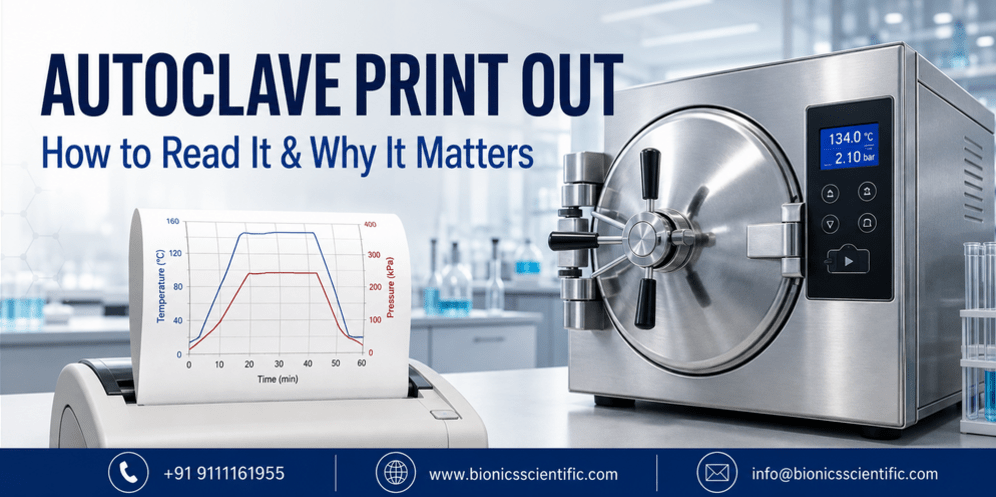
An autoclave doesn’t just “run a cycle”—it has to prove it ran the cycle correctly. That proof is the printout. Every time a batch of instruments, culture media, glassware, or biomedical waste goes through a sterilization cycle, the machine’s controller tracks three things continuously: temperature inside the chamber, pressure of the steam, and the duration for which both were held steady.
At the end of the cycle, this data is pushed to a built-in thermal printer or exported to a connected system, giving the operator a strip of paper (or a digital PDF) that can be pinned to a batch record.
For a microbiology lab, this isn’t paperwork for its own sake. If an inspector, auditor, or hospital infection-control officer ever asks, “How do you know this batch was sterile?” the printout is the answer. It replaces guesswork with a timestamped, parameter-by-parameter record.
What Actually Appears on a Standard Printout
A well-designed autoclave printout is not just a temperature number. A complete report typically includes:
- Cycle number and date/time stamp
- Program selected (e.g., 121°C liquid cycle, 134°C instrument cycle)
- Chamber temperature curve through pre-vacuum, sterilization, and exhaust phases
- Pressure readings (in bar or psi) corresponding to each phase
- Sterilization hold time (how long the set temperature was actually maintained, not just reached)
- Total cycle duration
- Pass/fail or “cycle complete” status
- Operator ID or batch reference, where the controller supports it
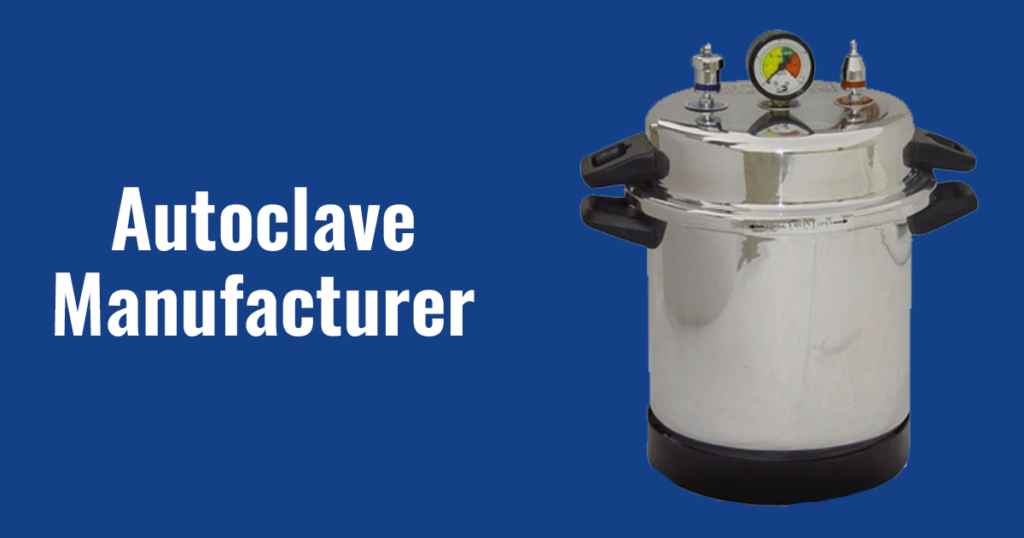
This is exactly the kind of granularity that separates an entry-level autoclave from an industrial one. A basic pressure cooker-style unit might give you a needle on a dial and nothing on paper. An industrial-grade autoclave—the kind used in pharma QC labs, CROs, and central sterile supply departments—is expected to generate this printout automatically, without the operator having to manually log numbers off a gauge.
Vertical vs. Horizontal Autoclave: Does the Printout Differ?
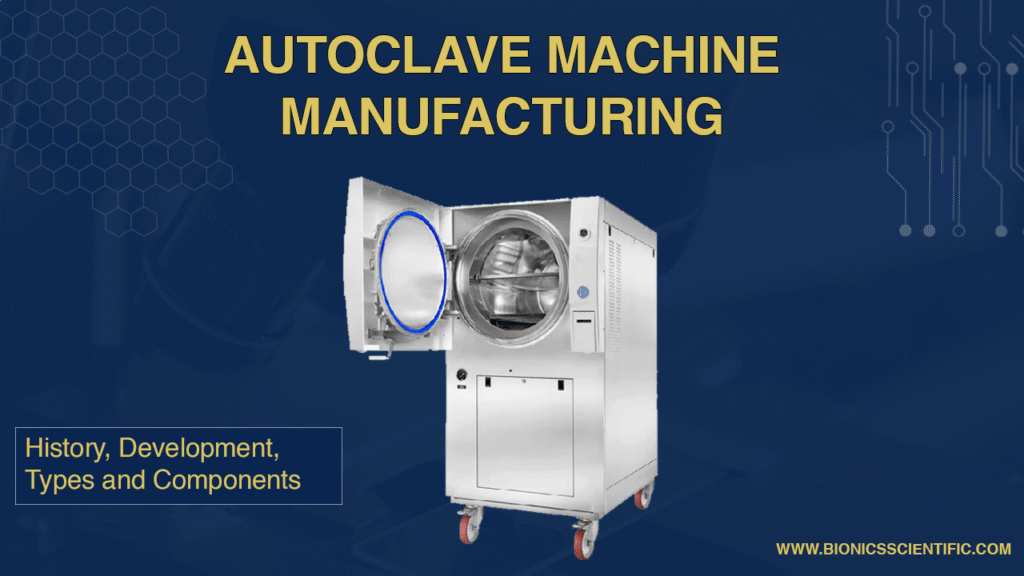
The underlying logic is the same whether you’re running a vertical autoclave or a horizontal autoclave—both are producing a time–temperature–pressure record. The practical difference is in scale and workflow. A vertical autoclave is generally used where floor space is limited and batch sizes are moderate—smaller labs, colleges, and diagnostic centers. A horizontal autoclave is built for higher throughput: bulk glassware, larger biomedical waste loads, and hospital CSSD operations, where a horizontal loading trolley and larger chamber volume matter.
Buyers comparing a vertical autoclave diagram against a horizontal autoclave diagram will notice the horizontal design usually integrates a front-loading door and rail system, while the vertical design uses a top-loading chamber—but the printer module and the report format are typically identical across both, since compliance requirements don’t change with chamber orientation.
Specification Table
| Parameter | Vertical Autoclave | Horizontal Autoclave |
| Chamber Loading | Top-loading | Front-loading (rail/trolley) |
| Typical Capacity | 22 L – 250 L | 100 L – 1000+ L |
| Working Pressure | 15–21 psi (1.05–1.5 bar) | 15–30 psi (1.05–2.1 bar) |
| Sterilization Temp. | 121°C – 134°C | 121°C – 134°C |
| Print Out Type | Thermal strip / digital PDF | Thermal strip / digital PDF |
| Ideal Use | Labs, colleges, clinics | Hospitals, CSSD, bulk waste units |
| Common Drum Sizes | 8″x16″, 10″x20″, 12″x24″ | 16″x24″, 18″x30″, 20″x36″ |
Autoclave Temperature Chart
| Sterilization Temp. | Standard Hold Time | Typical Application |
| 121°C (15 psi) | 15–20 minutes | Liquids, culture media, general glassware |
| 126°C (18 psi) | 10–15 minutes | Dressings, surgical linen |
| 134°C (30 psi) | 3–5 minutes | Wrapped instruments, rapid turnaround loads |
| 121°C (biomedical waste cycle) | 30–60 minutes | Hydroclaving/autoclaving of biomedical waste, per CPCB norms |
Where the Print Out Becomes Legally Important: Biomedical Waste
Autoclaving of biomedical waste—sometimes called hydroclaving of biomedical waste when a shredding-cum-sterilization unit is used—is regulated. Common Biomedical Waste Treatment Facilities (CBWTFs) and hospitals running captive autoclaves are expected to maintain an autoclave register, and the daily printout is what gets pasted or logged into that register against each batch. Regulators check this register format during inspections; a missing or inconsistent printout is one of the most common compliance gaps found in biomedical waste audits.
The Autoclave Register: Where Printouts Get Filed
An autoclave register format usually captures, batch by batch: date, cycle number, load type, operator name, temperature achieved, hold time, and a pass/fail column—with the printout either stapled alongside or referenced by cycle number. Facilities that digitize this process still keep the printout as the primary evidence; the register is simply the index.
A Less-Obvious Use Case: Mushroom Cultivation
Autoclave for mushroom cultivation is a growing use case outside conventional lab settings. Substrate bags need to be sterilized at 121°C for a sustained hold time to eliminate competing contaminants before spawning. Here too, growers increasingly ask for a printout—not for regulatory reasons, but simply to confirm the substrate batch actually reached full sterilization before it’s sealed and inoculated, since an under-sterilized batch means a wasted cycle and lost substrate cost.
What Buyers Are Actually Thinking Before They Buy
Anyone researching an autoclave purchase is usually working through the same mental checklist, even if they don’t say it out loud:
- Will this machine actually give me a printout, or will I be logging numbers by hand?
- Manual logging is slower and more error-prone during audits.
- Is the chamber size right for my batch volume, or will I be running extra cycles?
- What’s the autoclave HSN code for GST/import documentation? — For laboratory sterilizers, autoclave HSN code typically falls under 8419, though buyers should confirm the exact sub-heading with their supplier for invoicing.
- Can the supplier support me after installation—validation, spares, and service visits?
- Does the manufacturer have a track record, or is the device a first-generation product?
That last point is often the deciding factor, and it’s a fair one to ask about.
Why Buyers Choose Bionics Scientific
Bionics Scientific has been manufacturing laboratory and biomedical equipment for 35 years. In that time, the company has designed, built, and dispatched over 1,900 vertical and horizontal autoclaves to laboratories, hospitals, research institutes, and biomedical waste facilities across every region of India, as well as to buyers overseas. That volume isn’t a marketing number — it’s three and a half decades of iterating on chamber design, printer integration, gasket life, and after-sales support based on what actual labs and hospitals have asked for.
When a buyer wants an autoclave that produces a reliable, audit-ready printout every single cycle—not just on day one, but on cycle number 5,000—that track record is what the decision usually comes down to.
Looking for a vertical or horizontal autoclave that gives you a dependable printout every cycle? Talk to Bionics Scientific’s technical team for the right chamber size, validation support, and pan-India delivery.
FAQs
What is an autoclave printout?
An autoclave printout is a record of the temperature, pressure, and time that the process takes place in an autoclave as proof of the proper completion of the sterilization cycle.
Why do laboratories need autoclave printouts?
For the purposes of the accreditation audit, biomedical waste compliance check, and internal record keeping.
What’s the difference between a vertical and horizontal autoclave diagram?
A vertical autoclave diagram shows a top-loading chamber suited to smaller labs; a horizontal autoclave diagram shows a front-loading chamber with rail/trolley loading, suited to hospitals and bulk sterilization.
What temperature should an autoclave reach for standard sterilization?
121°C is standard for most liquids and general loads; 134°C is used for faster, wrapped-instrument cycles. See the temperature chart above for hold times.
What is an autoclave register, and is it mandatory?
It’s a logbook recording every sterilization cycle—date, batch, temperature, hold time, result. Biomedical waste facilities are expected to maintain one, and it’s checked during regulatory inspections.
What is the HSN code for an autoclave?
Laboratory autoclaves generally fall under HSN code 8419. Buyers would need to check with their supplier what exact HSN code needs to be used for GST invoicing.
What are common autoclave drum sizes?
Vertical units commonly range from 8″x16″ up to 12″x24″; horizontal units range from 16″x24″ up to 20″x36″ and larger, depending on chamber capacity.
What’s the difference between autoclaving and hydroclaving of biomedical waste?
Autoclaving sterilizes waste using pressurized steam alone. Hydroclaving commonly combines shredding and steam sterilization in a single unit for reducing and sterilizing waste.
Can an autoclave be used for mushroom cultivation substrate?
Yes, substrate bags are commonly sterilized at 121°C for an extended hold time to eliminate contaminants before spawning.
How do I choose between a vertical and horizontal autoclave for my facility?
It comes down to batch volume and floor space: vertical units suit smaller, space-constrained labs; horizontal units suit high-throughput hospital or CBWTF operations. Bionics Scientific’s team can help match chamber size to your actual load volume.